Operators in C++
Operators in C++ are special symbols used to perform operations on variables and values. They help programmers perform calculations, compare data, assign values, and make decisions within a program.
Without operators, performing mathematical calculations and logical decision-making in programs would be difficult. Operators make coding faster, cleaner, and more efficient.
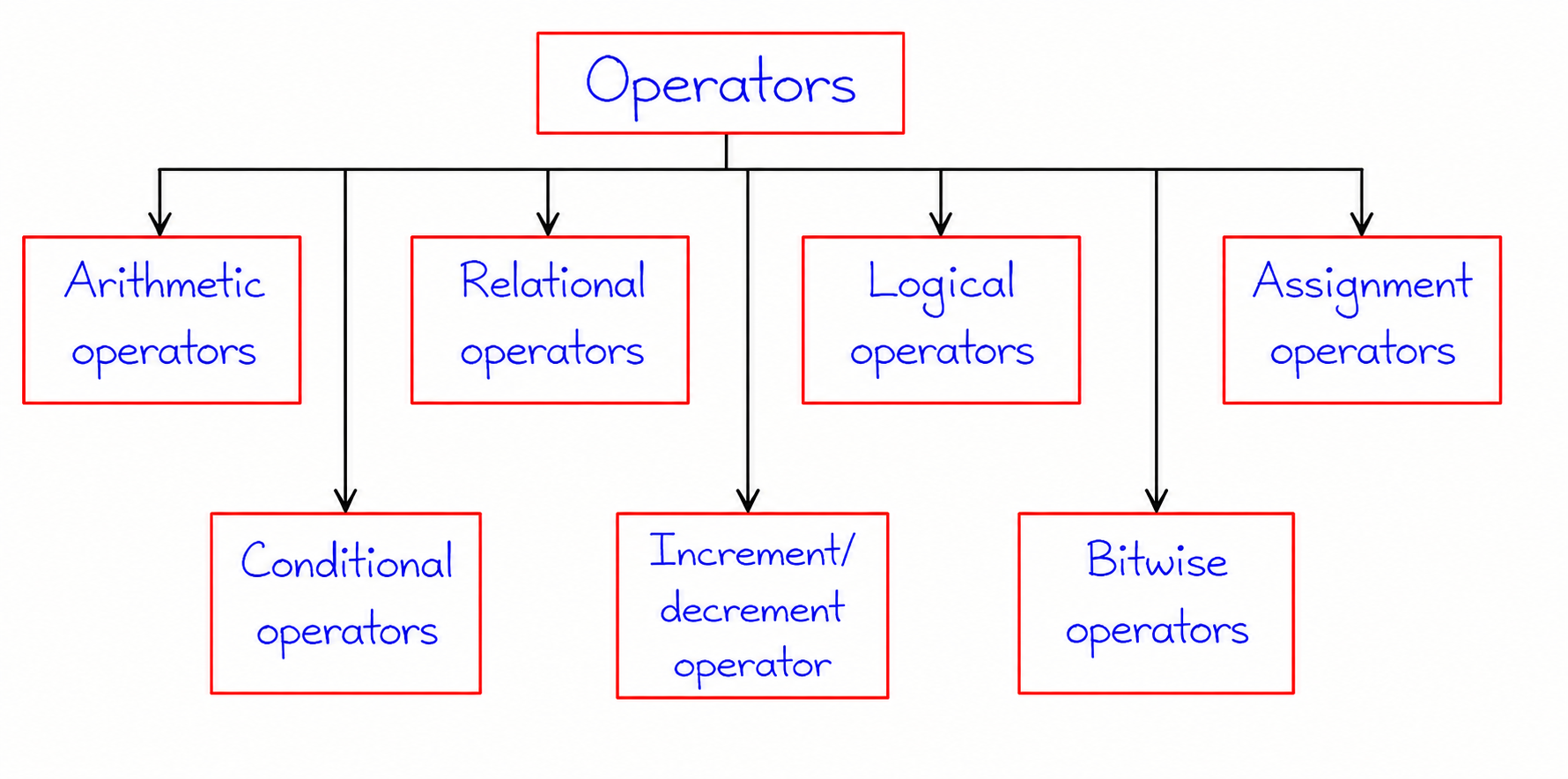
Types of Operators in C++
C++ provides several categories of operators for different tasks:
- Arithmetic Operators
- Relational Operators
- Logical Operators
- Assignment Operators
- Bitwise Operators
- Conditional Operator
- Increment and Decrement Operators
1. Arithmetic Operators in C++
Arithmetic operators are among the most frequently used operators in C++ programming. These operators allow programmers to perform basic mathematical calculations on numeric values stored in variables or constants. Arithmetic operations are essential in almost every program, whether it is calculating marks, finding averages, processing financial data, performing scientific computations, or developing games and applications.
C++ provides a set of arithmetic operators that can be used with integer and floating-point data types. These operators make it easy to perform calculations efficiently without writing lengthy code. The result produced by an arithmetic operator depends on the values of the operands involved in the operation.
For example, if a program needs to calculate the total marks of a student, determine the area of a rectangle, or compute the average temperature of a city, arithmetic operators are used to perform these calculations.
Common Arithmetic Operators
| Operator | Name | Description | Example |
|---|---|---|---|
| + | Addition | Adds two operands | 10 + 5 = 15 |
| - | Subtraction | Subtracts one operand from another | 10 - 5 = 5 |
| * | Multiplication | Multiplies two operands | 10 * 5 = 50 |
| / | Division | Divides one operand by another | 10 / 5 = 2 |
| % | Modulus | Returns the remainder after division | 10 % 3 = 1 |
Program Example
The following program demonstrates how different arithmetic operators work in C++. Two integer variables are created, and various mathematical operations are performed on them.
#include <iostream>
using namespace std;

int main()
{
    int a = 20;
    int b = 5;

    cout << "Value of a = " << a << endl;
    cout << "Value of b = " << b << endl;

    cout << "Addition = " << a + b << endl;
    cout << "Subtraction = " << a - b << endl;
    cout << "Multiplication = " << a * b << endl;
    cout << "Division = " << a / b << endl;
    cout << "Modulus = " << a % b << endl;

    return 0;
}
Output
Value of a = 20
Value of b = 5
Addition = 25
Subtraction = 15
Multiplication = 100
Division = 4
Modulus = 0
Real-Life Applications of Arithmetic Operators
- Calculating student marks, percentages, and grades.
- Computing profit, loss, and interest in banking applications.
- Finding area, perimeter, volume, and other mathematical values.
- Performing scientific and engineering calculations.
- Developing games that require score calculations.
- Processing statistical and analytical data.
Advantages of Arithmetic Operators
- Make mathematical calculations simple and efficient.
- Reduce the amount of code required for computations.
- Improve program readability and maintainability.
- Support both integer and floating-point calculations.
- Provide fast execution for numerical operations.
Arithmetic operators form the foundation of numerical programming in C++. A clear understanding of these operators helps programmers perform calculations accurately and build efficient software applications.
2. Relational Operators in C++
Relational operators are used to compare two values, variables, or expressions in a C++ program. These operators help determine the relationship between operands and always produce a boolean result. If the comparison is true, the result is 1 (true); otherwise, the result is 0 (false).
Relational operators play an important role in decision-making statements such as if, if-else, switch, while, and for loops. They allow a program to evaluate conditions and execute specific code based on the result of those conditions.
For example, a program may need to check whether a student has passed an exam, whether a user is eligible to vote, or whether a product quantity is greater than the available stock. In all these situations, relational operators are used to compare values and make decisions.
Common Relational Operators
| Operator | Name | Description | Example |
|---|---|---|---|
| == | Equal To | Checks whether two values are equal | 10 == 10 → True |
| != | Not Equal To | Checks whether two values are different | 10 != 5 → True |
| > | Greater Than | Checks whether the left value is greater | 20 > 10 → True |
| < | Less Than | Checks whether the left value is smaller | 10 < 20 → True |
| >= | Greater Than or Equal To | Checks whether a value is greater or equal | 20 >= 20 → True |
| <= | Less Than or Equal To | Checks whether a value is smaller or equal | 10 <= 20 → True |
Program Example
The following program demonstrates how relational operators compare two integer values and return either true (1) or false (0).
#include <iostream>
using namespace std;

int main()
{
    int x = 10;
    int y = 20;

    cout << "x == y : " << (x == y) << endl;
    cout << "x != y : " << (x != y) << endl;
    cout << "x > y  : " << (x > y) << endl;
    cout << "x < y  : " << (x < y) << endl;
    cout << "x >= y : " << (x >= y) << endl;
    cout << "x <= y : " << (x <= y) << endl;

    return 0;
}
Output
x == y : 0
x != y : 1
x > y  : 0
x < y  : 1
x >= y : 0
x <= y : 1
Using Relational Operators with if Statement
Relational operators are commonly used with conditional statements to control the flow of a program.
#include <iostream>
using namespace std;

int main()
{
    int marks = 75;

    if(marks >= 40)
    {
        cout << "Student Passed";
    }

    return 0;
}
In this example, the condition marks >= 40 is evaluated using a relational operator. Since the condition is true, the message "Student Passed" is displayed.
Real-Life Applications of Relational Operators
- Checking eligibility for voting, driving licenses, or examinations.
- Comparing marks, salaries, prices, and quantities.
- Validating usernames, passwords, and user inputs.
- Making decisions in games and interactive applications.
- Controlling loops and conditional program execution.
- Comparing dates, times, and numerical data in software systems.
Advantages of Relational Operators
- Help programs make logical decisions.
- Provide clear comparison between values.
- Essential for conditional statements and loops.
- Improve program flexibility and control flow.
- Make code easier to understand and maintain.
Relational operators are fundamental tools in C++ programming. They allow developers to compare values, evaluate conditions, and control program execution effectively. Understanding these operators is essential for building intelligent and decision-based applications.
3. Logical Operators in C++
Logical operators are used to combine multiple conditions and evaluate them as a single expression. These operators return a boolean value, which can be either true (1) or false (0). Logical operators are commonly used in decision-making statements, loops, and validation checks where multiple conditions need to be tested simultaneously.
In real-world programming, it is often necessary to check more than one condition before executing a block of code. For example, determining whether a student has passed an examination and has sufficient attendance, or verifying whether a user has entered both a valid username and password. Logical operators make such condition checking simple and efficient.
Types of Logical Operators
| Operator | Name | Description | Example |
|---|---|---|---|
| && | Logical AND | Returns true if all conditions are true | (10 > 5 && 20 > 15) |
| || | Logical OR | Returns true if at least one condition is true | (10 > 20 || 20 > 15) |
| ! | Logical NOT | Reverses the result of a condition | !(10 > 5) |
Program Example
The following program demonstrates the use of logical operators with different conditions.
#include <iostream>
using namespace std;

int main()
{
    int age = 25;

    cout << "AND Result: "
         << (age >= 18 && age <= 60) << endl;

    cout << "OR Result: "
         << (age < 18 || age > 60) << endl;

    cout << "NOT Result: "
         << !(age < 18) << endl;

    return 0;
}
Output
AND Result: 1
OR Result: 0
NOT Result: 1
Real-Life Applications of Logical Operators
- User login and authentication systems.
- Age and eligibility verification.
- Form validation in web applications.
- Decision-making in games and software.
- Checking multiple conditions in loops and control statements.
- Security and access control systems.
Advantages of Logical Operators
- Allow multiple conditions to be evaluated together.
- Improve program decision-making capabilities.
- Reduce complex nested conditions.
- Increase code readability and maintainability.
- Essential for conditional statements and loops.
Logical operators are an important part of C++ programming because they enable programs to evaluate complex conditions and make intelligent decisions based on multiple criteria.
4. Assignment Operators in C++
Assignment operators are used to assign values to variables in a C++ program. They help store data in memory and update existing values whenever required. Every program uses assignment operators because variables must receive values before they can be processed or displayed.
Besides the basic assignment operator, C++ also provides compound assignment operators that perform an operation and assignment in a single statement. These operators reduce code length and improve readability.
For example, instead of writing num = num + 5;, we can simply write num += 5;. Both statements produce the same result, but the second form is shorter and easier to read.
Common Assignment Operators
| Operator | Description | Example | Equivalent Expression |
|---|---|---|---|
| = | Assign Value | x = 10 | x = 10 |
| += | Add and Assign | x += 5 | x = x + 5 |
| -= | Subtract and Assign | x -= 5 | x = x - 5 |
| *= | Multiply and Assign | x *= 5 | x = x * 5 |
| /= | Divide and Assign | x /= 5 | x = x / 5 |
| %= | Modulus and Assign | x %= 5 | x = x % 5 |
Program Example
The following program demonstrates how assignment operators modify the value stored in a variable.
#include <iostream>
using namespace std;

int main()
{
    int num = 10;

    num += 5;
    cout << "After += : " << num << endl;

    num -= 3;
    cout << "After -= : " << num << endl;

    num *= 2;
    cout << "After *= : " << num << endl;

    num /= 4;
    cout << "After /= : " << num << endl;

    return 0;
}
Output
After += : 15
After -= : 12
After *= : 24
After /= : 6
Real-Life Applications of Assignment Operators
- Updating bank account balances.
- Maintaining scores in games.
- Tracking inventory quantities.
- Calculating totals and averages.
- Updating counters in loops.
- Managing user statistics and records.
Advantages of Assignment Operators
- Make code shorter and easier to understand.
- Reduce repetitive expressions.
- Improve program readability.
- Allow quick updates to variable values.
- Increase coding efficiency and productivity.
Assignment operators are fundamental to C++ programming because they allow data to be stored, modified, and managed efficiently. Understanding these operators helps programmers write cleaner and more effective code.
5. Bitwise Operators in C++
Bitwise operators are special operators that perform operations directly on the binary representation of integer values. Unlike arithmetic operators that work on decimal numbers, bitwise operators manipulate individual bits of data. These operators are commonly used in system programming, embedded systems, device drivers, networking applications, and performance-critical software.
Since computers store all data in binary form (0s and 1s), bitwise operators provide a fast and efficient way to process data at the hardware level. Understanding bitwise operations helps programmers optimize memory usage and improve program performance.
Types of Bitwise Operators
| Operator | Name | Description |
|---|---|---|
| & | Bitwise AND | Sets bit to 1 only if both bits are 1 |
| | | Bitwise OR | Sets bit to 1 if at least one bit is 1 |
| ^ | Bitwise XOR | Sets bit to 1 when bits are different |
| ~ | Bitwise NOT | Inverts all bits |
| << | Left Shift | Shifts bits to the left |
| >> | Right Shift | Shifts bits to the right |
Program Example
#include <iostream>
using namespace std;

int main()
{
    int a = 5;
    int b = 3;

    cout << "Bitwise AND : " << (a & b) << endl;
    cout << "Bitwise OR  : " << (a | b) << endl;
    cout << "Bitwise XOR : " << (a ^ b) << endl;

    return 0;
}
Output
Bitwise AND : 1
Bitwise OR  : 7
Bitwise XOR : 6
Applications of Bitwise Operators
- Memory-efficient data storage.
- Device driver and hardware programming.
- Network protocol implementation.
- Encryption and security algorithms.
- Fast mathematical calculations.
- Embedded and real-time systems.
Advantages of Bitwise Operators
- Execute faster than many arithmetic operations.
- Provide direct access to binary data.
- Useful for low-level programming.
- Improve performance in critical applications.
- Reduce memory consumption in some scenarios.
Bitwise operators are powerful tools that allow programmers to manipulate data at the binary level. They are especially useful in system-level programming where efficiency and hardware interaction are important.
6. Conditional (Ternary) Operator in C++
The Conditional Operator, also known as the Ternary Operator, is a shorthand way of writing simple if-else statements in C++. It evaluates a condition and returns one value if the condition is true and another value if the condition is false.
Because it uses three operands, it is called a ternary operator. This operator helps reduce code size and makes simple decision-making expressions more compact and readable.
Syntax
condition ? expression1 : expression2;
If the condition is true, expression1 is executed. Otherwise, expression2 is executed.
Program Example
#include <iostream>
using namespace std;

int main()
{
    int a = 15;
    int b = 10;

    int maxValue = (a > b) ? a : b;

    cout << "Largest Number = " << maxValue;

    return 0;
}
Output
Largest Number = 15
Real-Life Applications
- Finding maximum or minimum values.
- Displaying pass/fail results.
- Checking eligibility conditions.
- Assigning values based on conditions.
- Shortening simple if-else statements.
Advantages of Conditional Operator
- Reduces code length.
- Makes simple conditions easy to write.
- Improves code readability.
- Provides faster decision-making syntax.
- Useful for variable initialization.
The conditional operator is an efficient alternative to simple if-else statements and is widely used in C++ programs to make code concise and easier to understand.
7. Increment and Decrement Operators in C++
Increment and decrement operators are unary operators that increase or decrease the value of a variable by one. These operators are widely used in loops, counters, array traversal, and various iterative processes.
The increment operator (++) adds one to the current value of a variable, whereas the decrement operator (--) subtracts one from the current value.
Types of Increment and Decrement Operators
| Operator | Name | Description |
|---|---|---|
| ++ | Increment Operator | Increases the value by 1 |
| -- | Decrement Operator | Decreases the value by 1 |
Program Example
#include <iostream>
using namespace std;

int main()
{
    int count = 5;

    count++;
    cout << "After Increment : " << count << endl;

    count--;
    cout << "After Decrement : " << count << endl;

    return 0;
}
Output
After Increment : 6
After Decrement : 5
Pre-Increment and Post-Increment
- ++x (Pre-Increment): Value is increased before use.
- x++ (Post-Increment): Value is used first, then increased.
- --x (Pre-Decrement): Value is decreased before use.
- x-- (Post-Decrement): Value is used first, then decreased.
Applications of Increment and Decrement Operators
- Loop control in for and while loops.
- Array traversal and indexing.
- Counter implementation.
- Game score management.
- Tracking iterations and repetitions.
Advantages of Increment and Decrement Operators
- Provide concise syntax.
- Improve code readability.
- Useful in loops and counters.
- Reduce the need for lengthy expressions.
- Increase programming efficiency.
Increment and decrement operators are essential tools in C++ programming. They simplify repetitive tasks, improve code readability, and are heavily used in loops, counters, and data processing applications.
Difference Between Various Operators
| Operator Type | Purpose | Example |
|---|---|---|
| Arithmetic | Performs calculations | a + b |
| Relational | Compares values | a > b |
| Logical | Combines conditions | a && b |
| Assignment | Assigns values | a = 10 |
| Bitwise | Works on binary bits | a & b |
| Conditional | Short form of if-else | a>b ? a:b |
| Increment/Decrement | Changes value by one | a++, a-- |
Advantages of Operators in C++
- Reduce coding effort and improve readability.
- Allow efficient mathematical calculations.
- Help in decision-making and logical operations.
- Simplify assignment and data manipulation.
- Support low-level programming through bitwise operations.
Conclusion
Operators are essential building blocks of C++ programming. They enable arithmetic calculations, logical decision-making, value assignments, comparisons, and bit-level operations. A solid understanding of operators helps programmers write efficient, readable, and powerful C++ programs.